
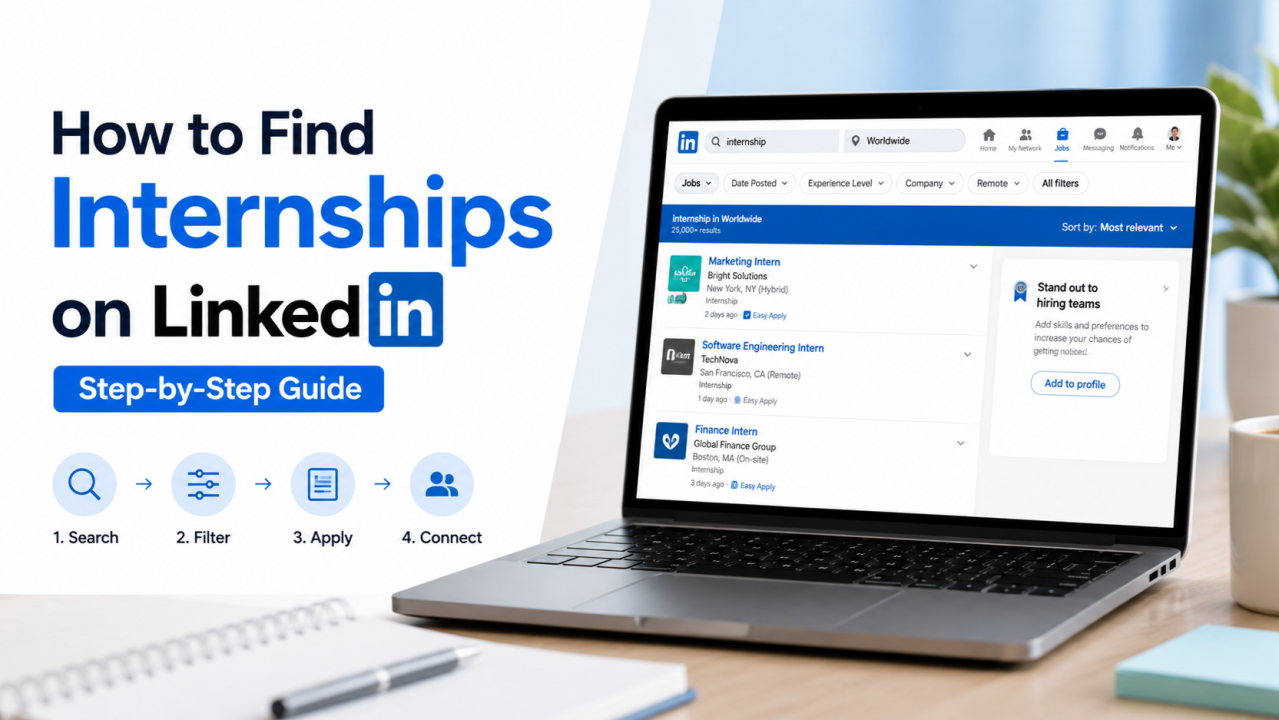

If you are in college and looking for an internship, LinkedIn is probably the best place to start. But most students use it the wrong way. They apply through the job portal, wait for a reply, and never hear back. Then they think LinkedIn doesn’t work.
It works. You are just using it wrong.
This guide will show you how to actually find internships on LinkedIn not just by clicking Apply, but by doing the things most students don’t do, which is exactly why those things work.
First, Get Your Profile Ready
Before you start searching for internships, your profile needs to look complete. Nobody is going to respond to a blank profile.
Here is what you need at minimum:
- A clear profile photo where your face is visible
- A headline that says what you do or what you’re looking for for example: “CSE Student | Learning Python & Data Science | Looking for Internships“
- Your college, degree, and batch year filled in
- Skills added Python, Excel, SQL, communication, whatever you genuinely know
- Any course, project, or small achievement mentioned even a free Coursera certificate counts
This takes one hour to fix. Do it before anything else.
The Mistake Everyone Makes
Go to LinkedIn Jobs. Search “internship.” Find something that looks okay. Click Easy Apply. Done.That is what 90% of students do. And that is why 90% of students hear nothing back.
Here is the reality. When a company posts an internship on LinkedIn, they can get 200 to 500 applications in the first day alone. HR cannot go through all of them. Most applications get filtered by a system before a human even sees them. If your profile doesn’t have the right keywords or you don’t have prior experience, you get removed automatically.
Applying through the button is not useless. But if that’s the only thing you’re doing, your chances are very low.There is a smarter way.
Step 1: Use the Job Section the Right Way
Go to the Jobs section on LinkedIn. In the search bar, type the kind of internship you want: “marketing internship,” “data science internship,” “content writing internship,” whatever fits you.
Then use the filters:

- Set Experience Level to Internship
- Set Date Posted to Past Week fresh postings get fewer applicants
- Set Location to your city or select Remote if you are open to it
Look through the results. Find openings that match what you know and what you are trying to learn. Apply for the ones that genuinely fit, not everything you see.
But here is where most people stop. You shouldn’t.
Step 2: Find the Person Who Posted the Job
This is the part that actually gets results.
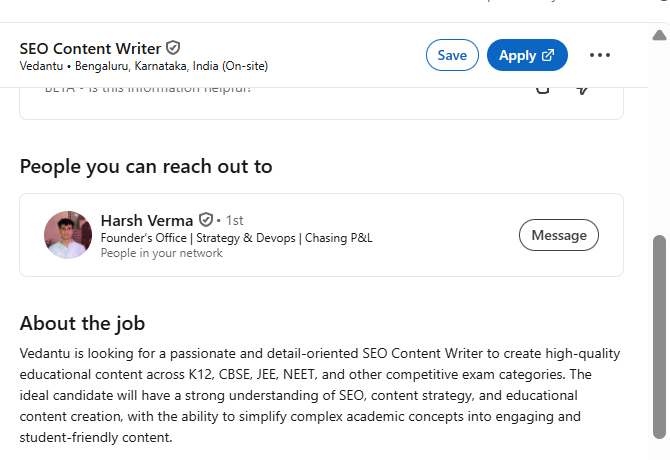
When you see an internship posting, scroll down on the job listing. Most of the time you will see a section that says “Meet the hiring team” or something similar. It will show you the name of the person who posted the job, usually an HR person, a recruiter, or a team lead.
Click on their profile.
Send them a connection request. But don’t send a blank one. Add a note. It doesn’t have to be long. Something like:
“Hi [Name], I came across the [Role] internship at [Company] and I’m genuinely interested. I’m a [Year] student studying [Course] at [College] and have been learning [relevant skills]. Would love to connect.”
That’s it. Short, specific, and personal. Not copy-paste.
Not sure how to build connections on LinkedIn before you start reaching out? This guide on Networking on LinkedIn: A Complete Guide for Students covers that from the beginning.
Step 3: Send a Cold Message Once They Accept
Once they accept your request, wait a day and then send a message. Keep it short. Most people don’t read long messages from strangers.
Here is a simple format that works:
“Hi [Name], thanks for connecting. I recently applied for the [Role] internship at [Company]. I’m a [Year] student with experience in [skill/project]. I’d love to be considered happy to share my resume or portfolio if helpful. Thank you for your time.”
That’s all. No begging. No long paragraphs. Just clear, polite, and direct.
Most students never do this. So when you do it, you stand out. The HR person now knows your name before they even open your application.
Step 4: Find Their Email and Send a Proper Mail
Sometimes people don’t respond to LinkedIn messages. That’s fine. You can take it one step further.
Go back to their LinkedIn profile and check their contact info section. Some people list their work email there. If it is there, great. If not, try to figure out the company’s email format. Many companies use firstname@companyname.com or firstnamelastname@companyname.com. You can also check the company’s website for contact details.
Once you have the email, send a short, proper cold email.
The subject line matters a lot. Something like: “Internship Application – [Your Name] | [College] | [Skill/Specialization]”
Keep the email body clean:
- First line: who you are and why you are writing
- Second line: what you bring a skill, a project, a course you completed
- Third line: what you want a chance to be considered, a quick call, or permission to send your resume
- Sign off with your name, college, LinkedIn profile link, and resume link if you have one on Google Drive
Short emails get read. Long ones get skipped.
Step 5: Engage With the Company on LinkedIn
This one is a bonus but it works. Before you apply or after you message someone, go to the company’s LinkedIn page and engage with their recent posts. Like something, leave a genuine comment.
It sounds small but it puts your name in front of people at that company. When the HR person gets your application or message, your name might already feel slightly familiar. That helps more than you think.
Mistakes to Avoid
- Sending the same message to 50 people word for word people can tell and they ignore it
- Applying to everything without reading the job description focus on what actually fits you
- Messaging someone and then following up every day one follow up after 5 to 7 days is fine, more than that is too much
- Asking “can you get me an internship?” in the very first message nobody does favours for strangers who ask for too much too soon
- Leaving your profile incomplete and then wondering why no one replies
Conclusion
Finding an internship on LinkedIn is not about clicking Apply a hundred times and hoping for the best. That works for a small number of people who are very lucky or have a very impressive profile. For everyone else, it takes a little more effort.
The students who actually land internships are the ones who take one extra step. They find the person behind the job posting. They send a connection with a note. They follow up with a short, clear message. Sometimes they send an email. They engage with the company’s content.
None of this is difficult. It just takes 20 extra minutes per application instead of 2.
Start with 5 internships this week. For each one, apply through the portal and also find the person who posted it and reach out. See what happens. You will be surprised how many people actually respond when you treat it like a real conversation instead of just filling out a form.